- Home
- Co-living
Built for co-living
Co-living software for operators who run more than one address
Co-living spreads residents across many shared homes, each with its own move-ins, move-outs and rent. Nivasin gives you the whole portfolio at once and each home in detail.
Situations Nivasin was built for
Move-ins every week
A profile and lease for each new resident, and a quick transfer when someone changes rooms.
The portfolio view
Rent collected against expected and dues across every property, then drill into any one of them.
Books per home
Income and expenses per property, so you know which homes earn and which cost.
A month with Nivasin
-
One account, every home
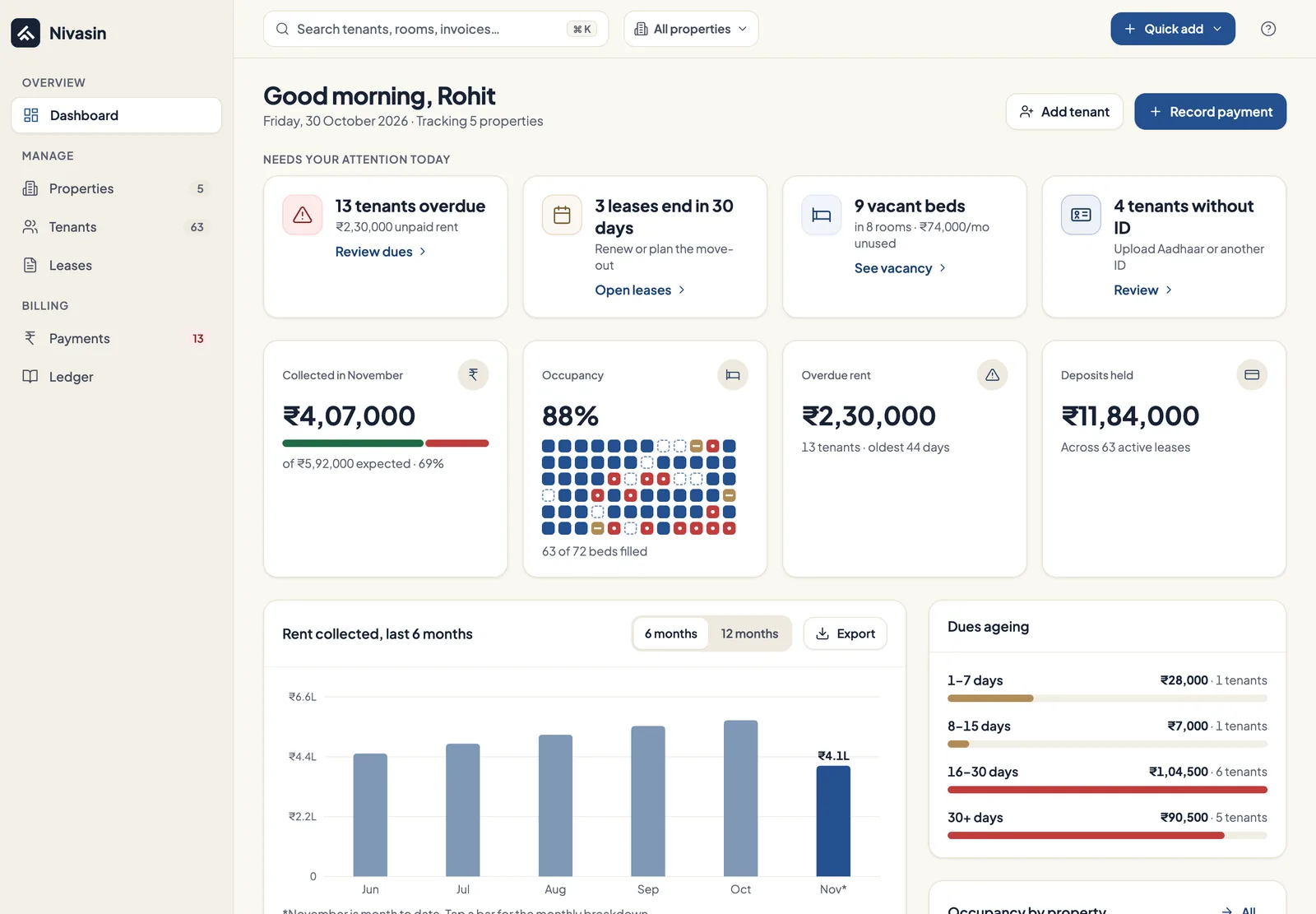
Each shared home is its own property with its rooms, beds and amenities. The dashboard adds them up: rent collected against expected, upcoming dues and overdue payments across the portfolio.
-
A resident moves in
Create their profile with an emergency contact, then a lease with the deposit, lock-in and notice periods, billing day and any monthly charges such as cleaning.
-
Billing runs itself
Invoices are generated from each lease every month. Payments you record mark them paid or partly paid, and an overpayment stays as a credit on the resident's account.
-
Leases near their end
Leases close to their end date are flagged as expiring soon, so you can renew, modify the terms, or plan the move-out before the room sits empty.
-
Which homes earn
Rent and expenses are recorded per property in the ledger, so a home that costs more than it brings in is visible, not hidden in a combined spreadsheet.
What Nivasin doesn't do: Nivasin doesn't collect rent online or list your rooms for new residents. It's the operator's back office: occupancy, residents, leases, invoices and books.
A good fit if you run
- Many smaller homes under one operator
- Leases with lock-in and notice periods
- Deposits recorded on each lease
- Per-property income and expenses
Owner dashboard
Rent collected against expected, upcoming dues and overdue payments across every property, the moment you sign in.
Properties, rooms and beds
PGs, hostels, co-living homes and flats set up as they really are, down to the bed, with occupancy for each.
Leases and agreements
Rent, security deposit, monthly charges, lock-in and notice periods recorded on every lease.
Ledger and expenses
Every rupee in and out per property, with categories, attached bills and reversals instead of edits.
Common questions
What does co-living management software do?
It tracks rooms and beds across several homes, keeps resident profiles and leases, bills rent every month and records payments and expenses per property, so an operator sees the whole portfolio and each home.
Can I record lock-in and notice periods?
Yes. Both are set on each lease along with the deposit, base rent, billing day and itemised monthly charges, so the terms you agreed are on record when a resident gives notice.
What happens when a resident changes rooms?
Transfer them to the new unit. Their profile and payment history carry over, and occupancy for both rooms updates.
Can residents pay through Nivasin?
No. Residents pay you directly by UPI, bank transfer, cash, cheque or card, and you record each payment. The money never passes through Nivasin.
See your own building in Nivasin
Tell us how many properties and beds you run, and we'll walk you through Nivasin using a setup that looks like yours, so you can judge it on your own numbers.