Owner dashboard
Every property's rent position, on one screen
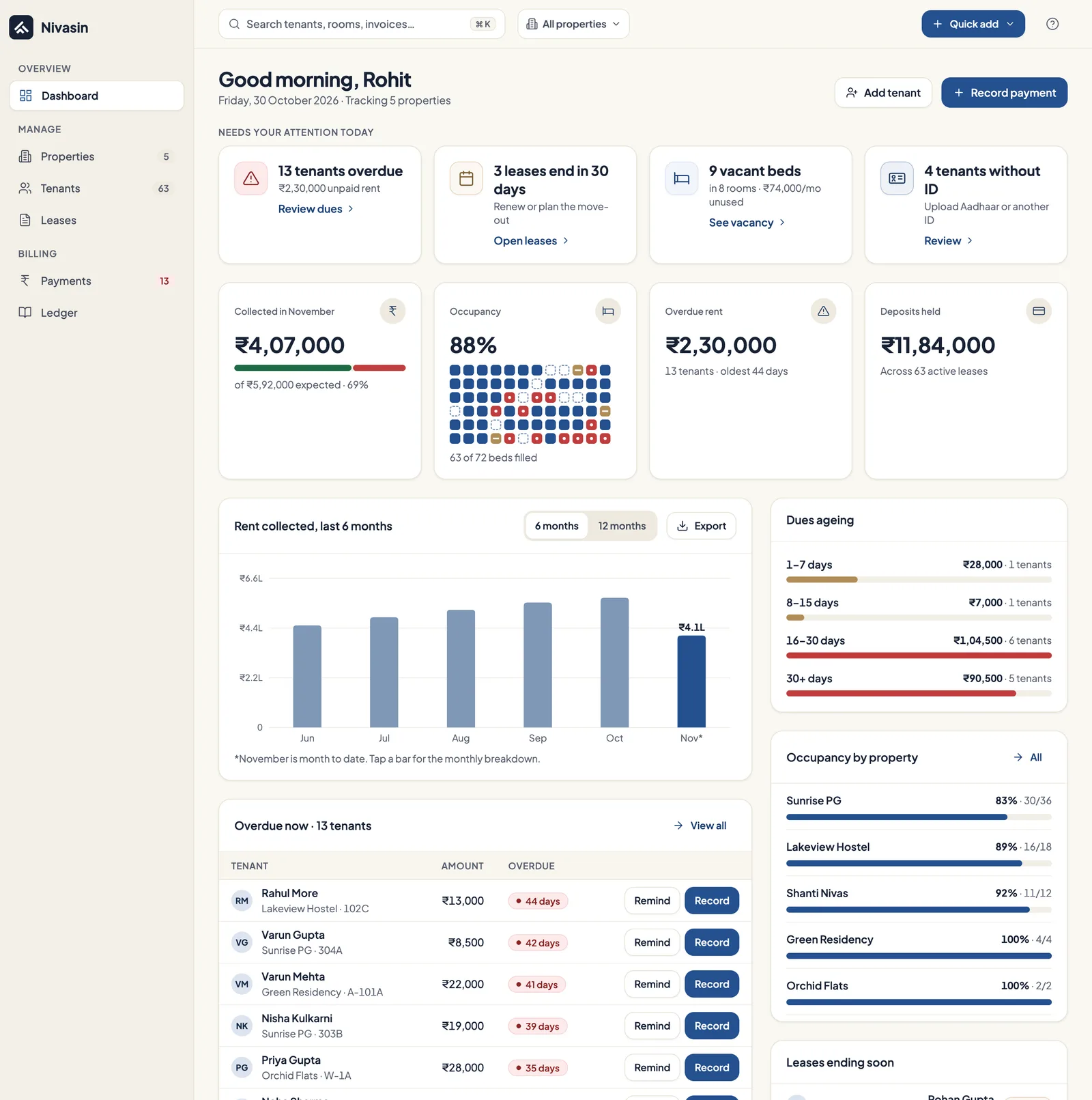
Sign in and the dashboard shows what you've collected this month against what you expected, which dues are coming up, which are overdue and the latest rent activity, across every property you run.
The problem it solves
Without one view, the monthly position lives in several places: a register per building, a bank app and a chat thread per tenant. Working out who has paid means checking all of them.
How it works in Nivasin
-
Set up once
A short getting-started checklist takes you from your first property to your first tenant and lease.
-
Activity flows in
Every invoice and payment you record updates the dashboard straight away.
-
See what needs attention
Upcoming and overdue dues are listed with the tenant and unit, so you know exactly who to follow up with.
-
Drill into a property
Open any property to see its beds, tenants, leases, payments and pending dues.
What's included
- Rent collected this month against expected
- Upcoming and overdue dues in one list
- Recent rent activity, newest first
- Active leases and pending payments at a glance
- Getting-started checklist for new accounts
- All your properties together, or one at a time
Common questions
What does the Nivasin dashboard show?
Rent collected this month against the amount expected, upcoming dues, overdue and pending payments, active leases and the most recent rent activity, for all of your properties together.
Can I see each property separately?
Yes. Every property has its own page with its units, occupied and total beds, tenants, leases, payments and pending dues.
Works together with
Rent invoices and payments
Monthly invoices for every lease, and payments by cash, UPI, bank transfer, cheque or card recorded with receipts.
Properties, rooms and beds
PGs, hostels, co-living homes and flats set up as they really are, down to the bed, with occupancy for each.
Ledger and expenses
Every rupee in and out per property, with categories, attached bills and reversals instead of edits.
See your own building in Nivasin
Tell us how many properties and beds you run, and we'll walk you through Nivasin using a setup that looks like yours, so you can judge it on your own numbers.