Properties, rooms and beds
Your buildings, set up down to the bed
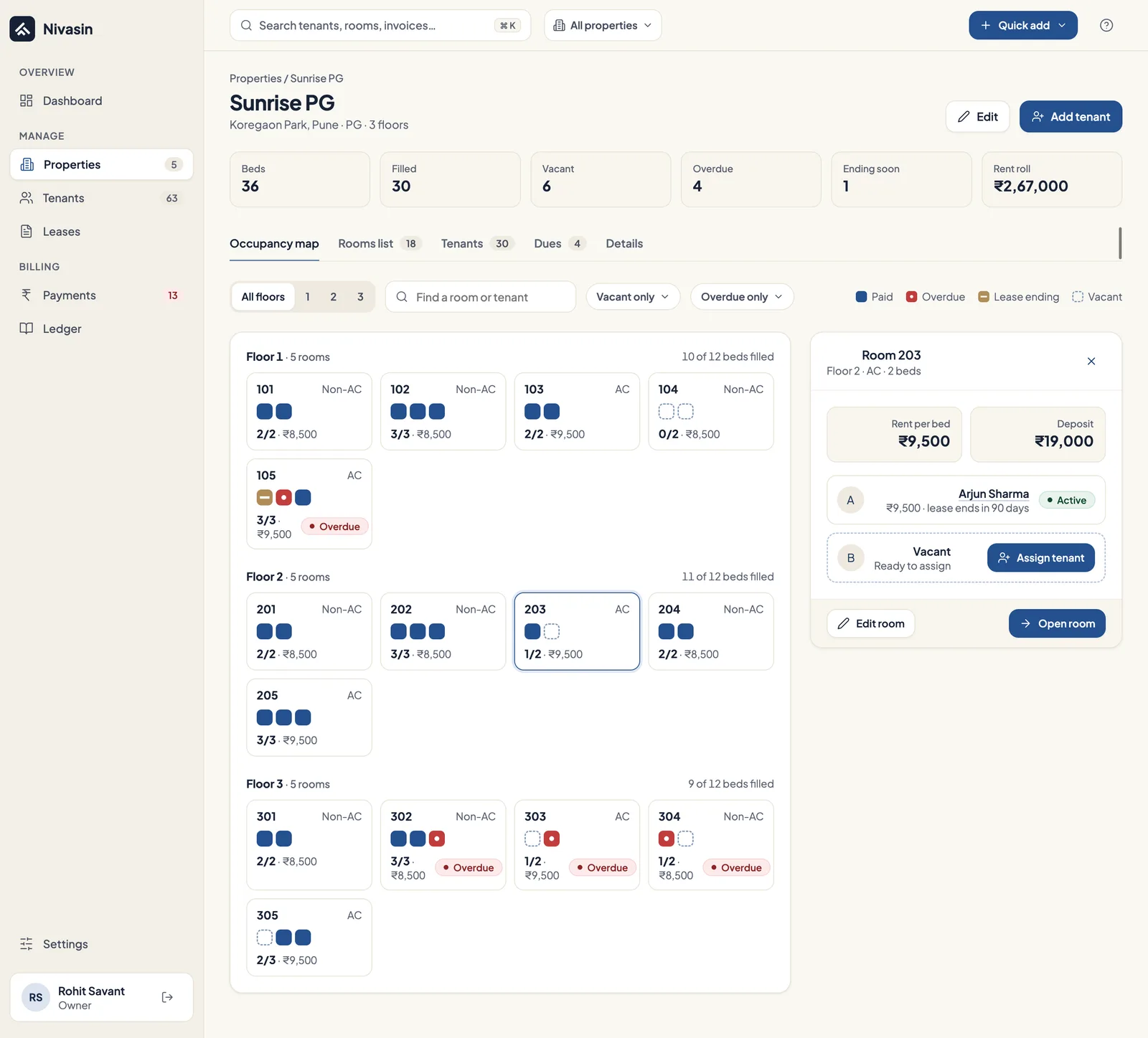
Add each property with its address, photo and amenities, then its rooms and beds floor by floor. Nivasin shows which beds are occupied and which are free, for one property or all of them.
The problem it solves
Occupancy kept in someone's head or a notebook goes wrong quickly: a bed shown as free that isn't, or a vacant one nobody knew about for a month.
How it works in Nivasin
-
Add the property
Name, type, address, cover photo and amenities.
-
Add rooms and beds
Each unit gets a floor, a name or number, bed numbers, AC or non-AC and its base rent.
-
Assign tenants
Put a tenant on a bed or a unit through a lease.
-
Move people around
Transfer a tenant to another unit when they change rooms, without entering their details again.
What's included
- PGs, hostels, co-living, flats and commercial spaces
- Rooms by floor, with numbered beds
- AC or non-AC and base rent per unit
- Occupied and total beds per property
- Transfer a tenant to another unit
- Cover photo and amenities
Common questions
Can I manage rooms by the bed?
Yes. Each room has numbered beds and each bed can carry its own lease, which is how most PGs and hostels rent.
Can I run different kinds of property in one account?
Yes. PGs, hostels, co-living homes, flats and commercial spaces can all sit in the same account.
Works together with
Owner dashboard
Rent collected against expected, upcoming dues and overdue payments across every property, the moment you sign in.
Leases and agreements
Rent, security deposit, monthly charges, lock-in and notice periods recorded on every lease.
Tenant profiles
Each tenant's contact details, emergency contact, work details and payment standing in one profile.
See your own building in Nivasin
Tell us how many properties and beds you run, and we'll walk you through Nivasin using a setup that looks like yours, so you can judge it on your own numbers.